Ona Health
Secure Messaging

HIPAA-grade chat, inside the product.

Message patients and your team from inside the chart. End-to-end encrypted, audit-trailed, and role-scoped — so anything sensitive stays out of personal email and SMS.

  • Direct patient threads
  • Beside the chart
  • Encrypted at rest
  • Audit trail

Sending a PHI-containing SMS from a personal phone is a HIPAA violation waiting to happen. Email is worse. And asking every patient to “just call us” pushes every conversation back onto the already-busy phone.

Ona's secure messaging is part of the same chat system your team uses internally — with direct threads between the patient and their care team — so the conversation lives in your workspace, not on anyone's personal phone.
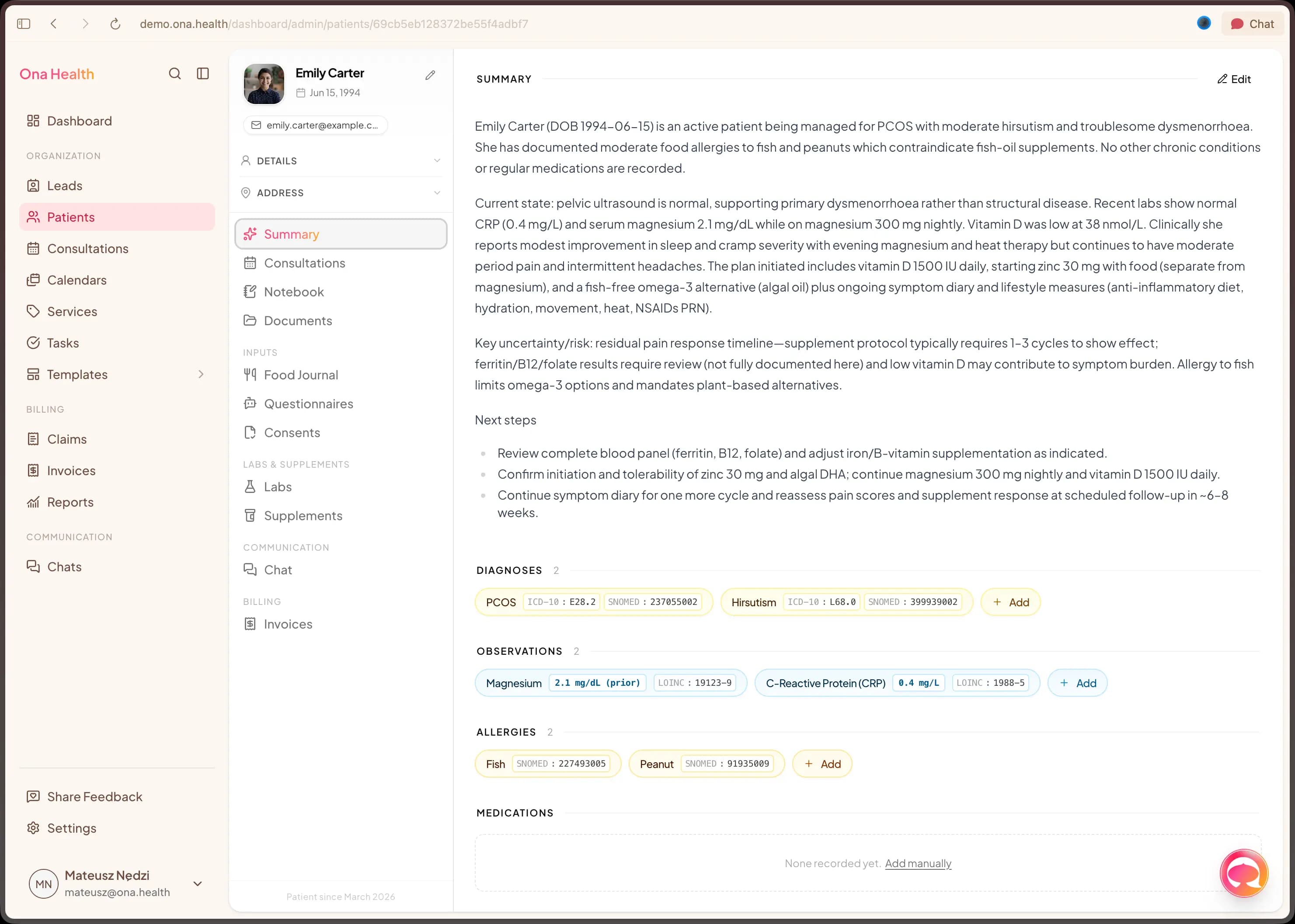
Secure messaging
Patient thread on the left, a care-team group room on the right — both inside your Ona workspace.

01 · Why it matters

Clinical conversations shouldn't live in personal inboxes.

One shared workspace — for patient threads and team rooms — is safer and calmer than texts and emails.

Patients want to message you the way they message everyone else. Your team wants boundaries. Compliance wants an audit trail. These are not competing goals — they need the right tool.

Keep clinical chat inside the product, behind identity and role-based access, and you get a calmer inbox, a clean paper trail, and no PHI on personal phones.

02 · What you get

A messenger that treats PHI like PHI.

Patient ↔ clinician threads

Each patient has a direct thread with their care team inside the same chat system the team already uses. One app, two audiences, clear scope.

Role-scoped rooms

Group rooms for care coordination; direct rooms between teammates; patient rooms that only involve the patient and their providers. Visibility follows role.

Messages beside the chart

Patient threads open from the patient record so the conversation and the chart sit side by side rather than in two apps.

Encrypted in transit and at rest

Messages, reads, and edits are encrypted in transit and at rest inside your workspace. Identity, access, and role controls are baked in.

Audit trail by default

Every message, edit, and membership change is logged with timestamp, user, and recipient list so compliance reviews aren't a scavenger hunt.

One product for patient and team

The same chat system runs your internal rooms and your patient threads — fewer tabs, fewer logins, fewer places for a conversation to go missing.

03 · How a message lives

From the patient portal to your team.

  1. Patient opens the portal

    The patient signs into the Ona portal and opens their thread with the clinic. They never need your personal number or email.
  2. Your team sees it in the workspace

    The message shows up in the same chat surface your team already uses — alongside team rooms and direct messages.
  3. Reply with context

    Open the patient's record alongside the thread to reply with the whole picture in view.
  4. Audit trail writes itself

    Every message is timestamped, linked to the patient, and retained for the audit log.

Patients message me like they'd message a friend — and I can reply without worrying about my personal phone. It's warmer than email, calmer than the phone.

NP Maya ReyesWellspring Integrative Medicine

04 · In practice

Messaging shaped for real clinics.

Concierge & membership

Direct access without personal-phone burnout.

Members get a dedicated thread with their care team inside Ona. Nothing lands on a clinician's personal cell.

Multi-provider group

Covering providers see the context.

Care-team rooms keep the last conversation visible — so the on-call clinician picks up with the full picture, not a cold handoff.

Behavioral health

Structured check-ins between sessions.

Patients can reach out between sessions in a scoped, reviewable way. The thread lives with the chart, not in a personal inbox.

Front-desk coordination

Separate room for admin questions.

Admin threads and clinical threads can live in different rooms so clinicians aren't pulled into billing questions mid-visit.

FAQ

Common compliance questions.

Is this HIPAA-compliant by default?
Yes. Messages are encrypted in transit and at rest, role-scoped to your workspace, and retained in an audit trail with user, timestamp, and recipient information. A BAA is in place with every Ona workspace.
Can patients message from their phone?
Yes — through the Ona patient portal in the browser. A native mobile app is on the roadmap; today patients use the portal in a mobile browser.
Does Ona detect emergencies automatically?
No. We don't try to detect crises from message content — that's a promise we're not ready to make. Your portal messaging can include standing guidance (“call 911 for emergencies”) and your care protocols handle the rest. Smarter safety tooling is on the roadmap.
Can we set quiet hours or business-hours replies?
Not as an automated feature today. Your team can set expectations with patients and triage inside the app; configurable business-hours replies are on the roadmap.
Do you offer two-way SMS as a fallback?
Not today. Transactional SMS notifications (appointments, reminders) exist; full two-way SMS conversations are on the roadmap.
Who can see a patient thread?
Only the patient and the clinicians assigned to them. Administrators can audit but role-based access controls who can read and reply.
Ready when you are

Get clinical chat out of personal inboxes.

Bring a real patient thread to a 15-minute walkthrough — we'll show you what safety plus warmth looks like.