Enroll with your payers
The guide
Transcript
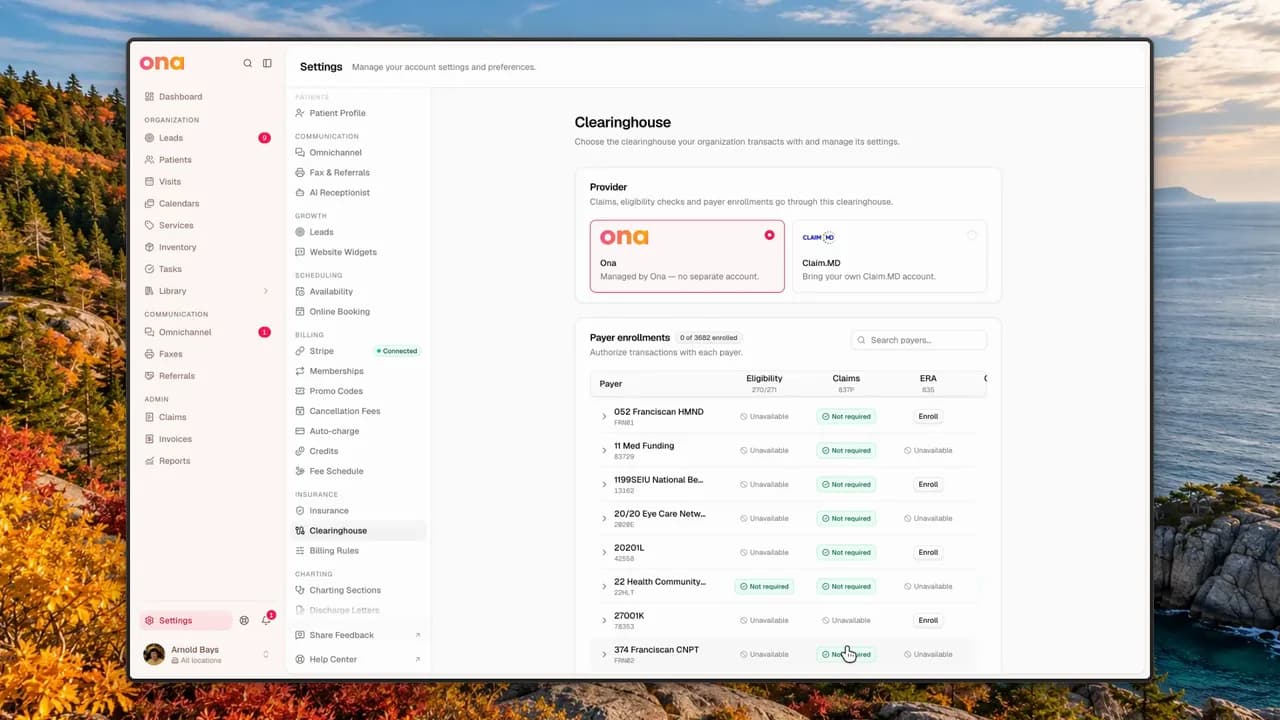
Here's how to enroll with your payers. Each payer and transaction gets its own request. Go to Settings at the bottom of the sidebar, then choose Clearinghouse under Insurance.
Under Payer enrollments, search for one of your payers, like Aetna. Open the payer to see what each transaction needs, and how long it takes. For Aetna, Eligibility and Claims need no enrollment, but ERA does, and takes a few weeks.
Select Enroll on the transaction you need. The top says how this payer handles it, and how long it usually takes. Under Who this payer credentials, choose The practice, or One clinician for their own NPI.
Ona fills in your billing NPI, Tax ID and legal name from your billing profile. Then select Send enrollment request. It shows as pending until the payer accepts.
If the payer needs forms signed, View tasks on that row lists each step for you.
That's it. Once the payer accepts, the enrollment turns active, and your claims can go through.